

Terraform AzureRM 5.0: The Five Breaking Points That Hit Existing Landing Zones
Why a provider major is not a dependency bump, which five areas of a typical Azure landing zone break, and what an upgrade approach looks like that doesn't put production at risk.
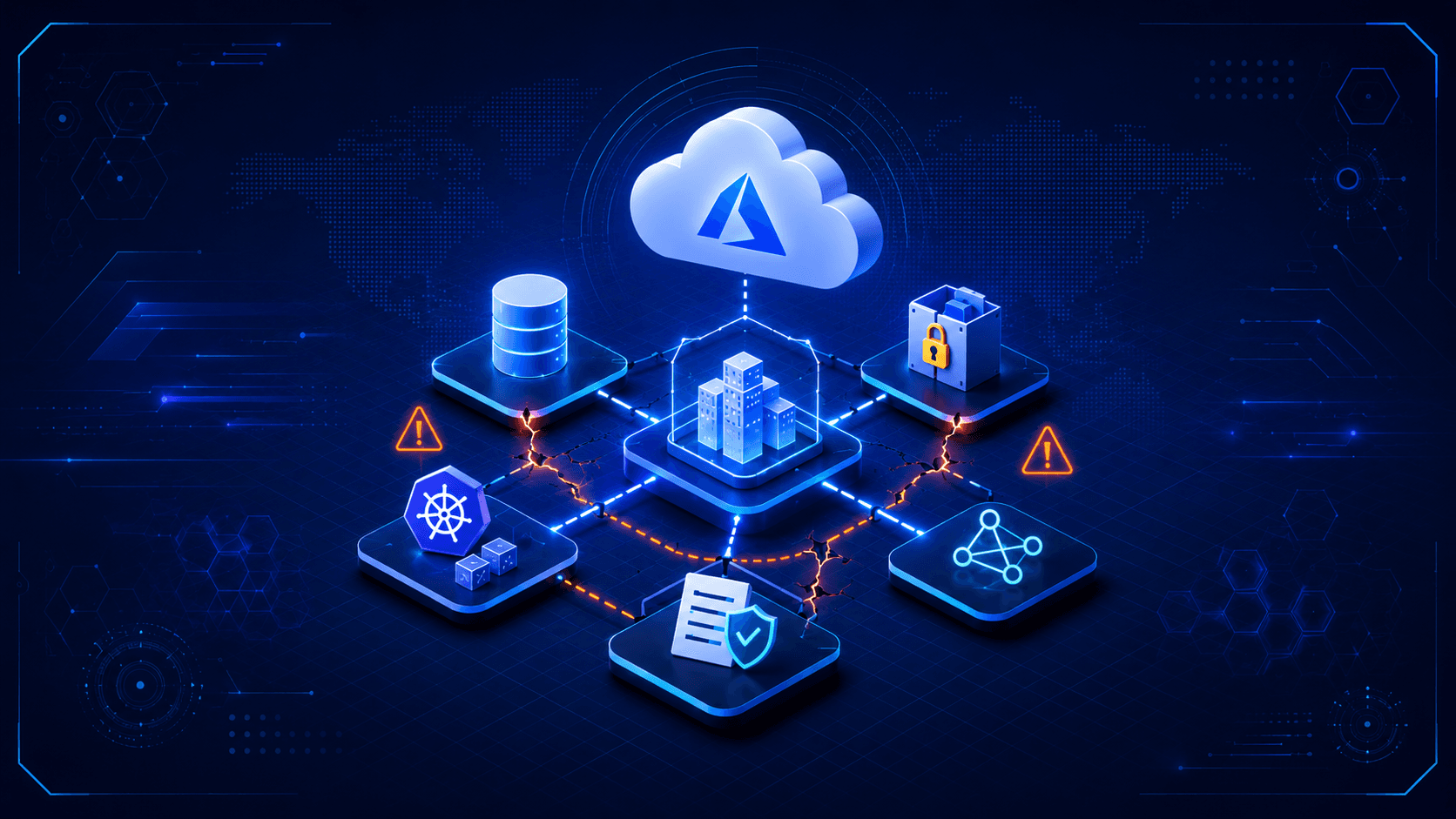
A major release of the AzureRM provider is treated like a dependency bump by most teams. Dependabot opens a pull request, the pipeline is green, and someone merges it.
The problem is that new provider versions can also contain bugs, errors, and breaking changes. A green build only tells you that the code parses. It says nothing about whether the new provider still interprets the existing state entries in the same way as the previous version. If an attribute has been renamed and Terraform can no longer find the old field, it may plan a replacement instead of an update. For a Storage Account containing data, a Key Vault containing certificates, or an AKS cluster running production workloads, that is no longer a small adjustment. It can become a serious incident for the team.
Provider updates should be planned like a migration or the introduction of a new service.
What a Major Provider Release Means Technically
I deliberately do not provide a changelog analysis here. HashiCorp maintains the complete list of changes, and that should be your primary source when performing an upgrade. What is often missing in practice is the classification of those changes. Which type of change introduces which kind of risk to the state, and which resources in a typical Landing Zone are affected?
I would distinguish between the following three categories of changes.
Schema Changes Can Lead to Replace Instead of Update
During a plan, Terraform compares the configuration, the state, and the actual resources in Azure. Through its schema, the provider defines which attributes exist, what type they have, and whether a change can happen in place or triggers ForceNew.
If a major release renames or removes an attribute, or changes it from a block to a list, the following happens: the state still contains the old structure. The new provider reads it, cannot find a matching schema field, and treats the value as unset. If the attribute appears in the configuration under its new name, Terraform sees a change from "not set" to "set". If that attribute is ForceNew, the result is a destroy-and-create operation.
This exact pattern has appeared in every previous major release. In 3.0, the addon_profile block in azurerm_kubernetes_cluster was removed and split into top-level attributes such as oms_agent and azure_policy_enabled. In 4.x, Storage resources moved from references using storage_account_name to storage_account_id. At first glance, both look like small changes, but they can have catastrophic consequences.
Address Deprecation Warnings Early
Deprecation warnings appear in minor releases and disappear in the next major release. Teams that ignore warnings in their pipelines accumulate exactly the changes that then have to be addressed all at once during a major upgrade.
That is why, during reviews, I always look at the pipeline logs before looking at the code. The logs from the previous weeks quickly reveal what might break during the next major upgrade.
Changed Default Values Can Cause Problems
The most dangerous category is changed defaults because they remain invisible in the code. If an attribute that you never explicitly configured changes its default value, the plan can produce a change to a resource that nobody touched. A well-known example from 4.x is default_outbound_access_enabled on subnets. This is a field that did not previously exist and whose behavior affects network egress.
In practice, this can mean that a provider upgrade suddenly produces a plan containing 40 unexpected changes even though there has not been a commit to the repository for three weeks. If 38 of those changes are caused by shifted default values, that is easy to overlook in a merge request.
The Five Areas with the Highest Risk
A typical Landing Zone consists of a small number of recurring building blocks. These five are the candidates I check first during every major release.
| Area | Typically affected constructs | Risk when replaced |
|---|---|---|
| Network | azurerm_virtual_network with inline subnet, NSG and route table associations, subnet delegations | High. Replacing a VNet affects peerings, Private Endpoints, and DNS |
| Storage | Network rules, identity block, container and share references | Very high. Data loss on destroy |
| Key Vault | Access Policies vs. RBAC, purge_protection, soft_delete | Very high. Purge Protection prevents recreation using the same name |
| AKS | identity and network_profile structure, node pool attributes | High. Replacing the cluster means downtime for all workloads |
| Provider block | Authentication, subscription_id, features, provider registration | Medium. Breaks early and loudly, but everywhere at the same time |
Network: Inline Subnets Can Cause Problems
If you define subnets as inline subnet blocks within azurerm_virtual_network, every schema change becomes a potential problem because the entire subnet list is managed as a single attribute of the VNet. A change to one individual entry affects the structure of the entire list.
The cleaner approach is to use separate azurerm_subnet resources with explicit association resources for NSGs and route tables. It means more code, but it isolates the blast radius to each individual subnet. In my Terraform framework, I therefore consistently model subnets as separate resources in the core layer and assign them through a map instead of nesting them inside the VNet module. During the last major upgrade, that was the difference between one affected module and an entire affected Landing Zone.
Delegations require particular attention. A subnet delegated to Microsoft.DBforPostgreSQL/flexibleServers or Microsoft.App/environments cannot simply be recreated while the delegated service is still running inside it.
Storage: Network Rules and Identity
Storage Accounts are critical for two reasons. First, the Terraform state itself is often stored in a Storage Account. Second, a destroy-and-create operation on a Storage Account is not reversible.
Typical breaking points include the transition from embedded network_rules to a separate resource, handling allow_nested_items_to_be_public, and whether containers are referenced by name or by ID. You should also check whether the Storage Account used as your state backend is managed by the same Terraform configuration. If it is, that requires a dedicated migration step with high priority.
Key Vault: Access Policies vs. RBAC
The provider supports two permission models: traditional Access Policies and the RBAC model through enable_rbac_authorization. If you mix both, it can quickly become difficult to maintain an overview.
This becomes critical because Key Vaults with Purge Protection enabled enter soft-delete after a destroy, and their names remain blocked for the retention period. An accidental replacement therefore cannot be fixed in five minutes. It requires either re-importing the soft-deleted Key Vault or creating a new Key Vault under a different name, which then has to be updated in every dependent configuration.
AKS: Identity and Network Profiles
AKS is the resource with the highest schema volatility in the entire provider because Azure evolves the service faster than almost any other platform component. The identity block, network_profile, node pool attributes, and add-on configuration have been reworked several times across major releases.
My rule is that AKS gets its own migration step, never combined with network or Storage changes. The plan is then reviewed line by line before the apply.
Provider Block: Breaks Early, but Everywhere
The provider configuration itself changes regularly between major releases. In 4.0, subscription_id became mandatory and provider registration behavior was changed. This is actually the most convenient category because it fails immediately and loudly. The downside is that it affects every stage at the same time, including pipeline authentication through Workload Identity Federation.
Approach: Pinning, Non-Prod, and a Migration Plan per Module
Step 1: Set an Explicit Provider Constraint
Before anything else happens, the currently running version must be explicitly defined in the code. Not as a pessimistic constraint covering an entire major series, but with a clear constraint that prevents an uncontrolled jump to the next major version.
terraform {
  required_version = "~> 1.9"

  required_providers {
    azurerm = {
      source  = "hashicorp/azurerm"
      version = "~> 4.30"
    }
  }
}
Expected result: terraform init only pulls versions within the 4.x series. A terraform init -upgrade in a pipeline can no longer trigger a major upgrade. The .terraform.lock.hcl file should also be committed to the repository so that provider hashes remain reproducible.
Step 2: Isolate the Upgrade in a Non-Prod Stage
The upgrade should only be performed in a stage that closely resembles production. Production-like means using the same modules, the same module versions, and the same resource types. A development environment where Private Endpoints are disabled and AKS has been replaced with a Container App is useless as a test environment in this context.
If such a stage does not exist, that is the actual problem. In that case, the provider upgrade is not your most urgent issue.
Step 3: Diff the Plan and Count Replace Operations
The plan should not simply be read manually. It should be evaluated programmatically. Humans easily miss a -/+ in 300 lines of output.
terraform plan -out=tfplan.binary
terraform show -json tfplan.binary > tfplan.json

# All resources that will be destroyed or replaced
jq -r '.resource_changes[]
  | select(.change.actions | index("delete"))
  | "\(.change.actions | join(",")) \(.address)"' tfplan.json
The expected result is a list that should ideally be empty. If it is not, every single line needs to be reviewed individually. For every affected address, there are exactly three possible outcomes. The replacement is functionally acceptable. The replacement can be avoided through moved blocks or imports. Or the module is not migrated yet.
moved {
  from = azurerm_subnet.app
  to   = azurerm_subnet.app["workload"]
}
Expected result: Terraform rewrites the state without touching Azure. The plan then shows 0 to add, 0 to change, 0 to destroy.
Step 4: Migrate Module by Module
A big-bang upgrade across the entire Landing Zone is appropriate if you operate exactly one stage, do not store production data, and the plan remains completely empty after the upgrade. This is typically the case for newly built environments.
A big-bang upgrade is not appropriate as soon as multiple stages, shared network resources, or data-bearing services are involved. In that case, migrate from the bottom up in the following order.
| Order | Layer | Reason |
|---|---|---|
| 1 | State backend and provider configuration | Breaks loudly and blocks everything else |
| 2 | Governance, Policies, Management Groups | Little dependency on data, good testing ground for the upgrade itself |
| 3 | Network (Hub) | Foundation for everything above it, but highly interconnected. Only proceed with a clean plan |
| 4 | Shared Services: Key Vault, Log Analytics, Container Registry | Data-bearing, consider Purge Protection |
| 5 | Workload Landing Zones: AKS, App Services, databases | Highest schema volatility, separate change per stack |
In practice, following this order allows you to analyze the changes module by module and work through the affected environments relatively quickly. Not a single unplanned replacement. The effort goes into analysis instead of an expensive rollback when something goes wrong.
Why Version Pinning Alone Is Not Enough
Version pinning is necessary. But pinning as a permanent state only postpones the effort indefinitely.
The provider is the translator between your code and the Azure Resource Manager API. New Azure features only become available through Terraform in current provider versions. If you stay on an old major version for too long, you will eventually need a feature that cannot be represented through Terraform anymore. The usual workaround is either clicking through the Azure portal or using an azapi workaround. Both create drift that the next plan will detect again.
The second effect is that being two major versions behind does not mean twice the effort. It usually means significantly more because the changes overlap and you lose the intermediate steps and deprecation warnings that would have made the migration easier.
My recommended cadence is therefore to treat minor upgrades as a monthly routine with an automated plan diff in the pipeline. Major upgrades should happen within three months of release and be planned as dedicated changes. If you cannot integrate that into regular operations, at least put it on the calendar as a recurring task instead of leaving it to the randomness of a Dependabot pull request.
When Nobody Understands the Code Anymore
Up to this point, this has been a technical topic.
A significant portion of the Landing Zones I take over were built externally. A service provider wrote the modules two or three years ago, completed the project, and took the knowledge with them. The code runs. As long as nobody touches anything, nobody notices that no one fully understands it anymore.
A provider major release makes this situation visible. Suddenly, someone has to decide whether a planned replacement of a Key Vault is functionally acceptable. Making that decision requires knowing what is stored in the Key Vault and who accesses it. If that information is not documented anywhere, there are two options: guess or do nothing. Both are bad.
These are the operational warning signs I look for:
There is no Non-Prod stage that structurally represents production. The provider version is either not pinned at all or only configured with an open lower bound. The .terraform.lock.hcl file is not stored in the repository. There has not been a commit to the repository for months, but terraform plan still shows changes. And nobody can immediately explain which module manages which resources in which subscription.
Each of these signals is manageable on its own. Together, they mean that the infrastructure is only stable for as long as nobody changes it. That is not infrastructure. It is a ticking time bomb.
Conclusion
- Set an explicit provider constraint before anything else and commit the lockfile. It takes ten minutes and removes the risk of an uncontrolled major upgrade from your pipeline.
- Evaluate plans automatically. Every resource with
deletein its plan actions is a separate indication that someone needs to review it. - Migrate in the following order: state backend, governance, network, shared services, workloads. One module per change, Non-Prod before Prod.
- Define an upgrade cadence. Minor upgrades monthly, major upgrades within three months. Pinning without a cadence only postpones the work and makes it harder later.
If you cannot confidently say what your next terraform plan against production will look like, that is your actual problem. That is exactly what I review in the free Azure Cloud Audit: your current IaC setup, provider and module versions, state drift, stage structure, and the specific resources at risk during the next major upgrade. The result is a prioritized action plan with an effort estimate. If you want to know whether this makes sense for your environment, let's take a look at it together.
Further Reading
- Terraform on Azure: Overview
- Store Terraform state in Azure Storage
- Migrate from vault access policy to an Azure RBAC permission model
- Configure Azure Storage firewalls and virtual networks
- Subnet delegation in Azure Virtual Network
- Use a managed identity in Azure Kubernetes Service
- Azure landing zone design areas (Cloud Adoption Framework)
- HashiCorp AzureRM Provider: Registry and Changelog
- Terraform: Refactoring with moved Blocks